Custom cooler bags print best from a vector logo placed on the flattest panel of the style you choose, in ink colors that contrast with the bag. Custom Cooler Bags reviews every file, sends a free mockup within 24 hours, and offers unlimited revisions, so your artwork is right before production starts on orders from 12 bags.
- Vector files (AI, EPS, SVG or editable PDF) print sharpest on cooler bags
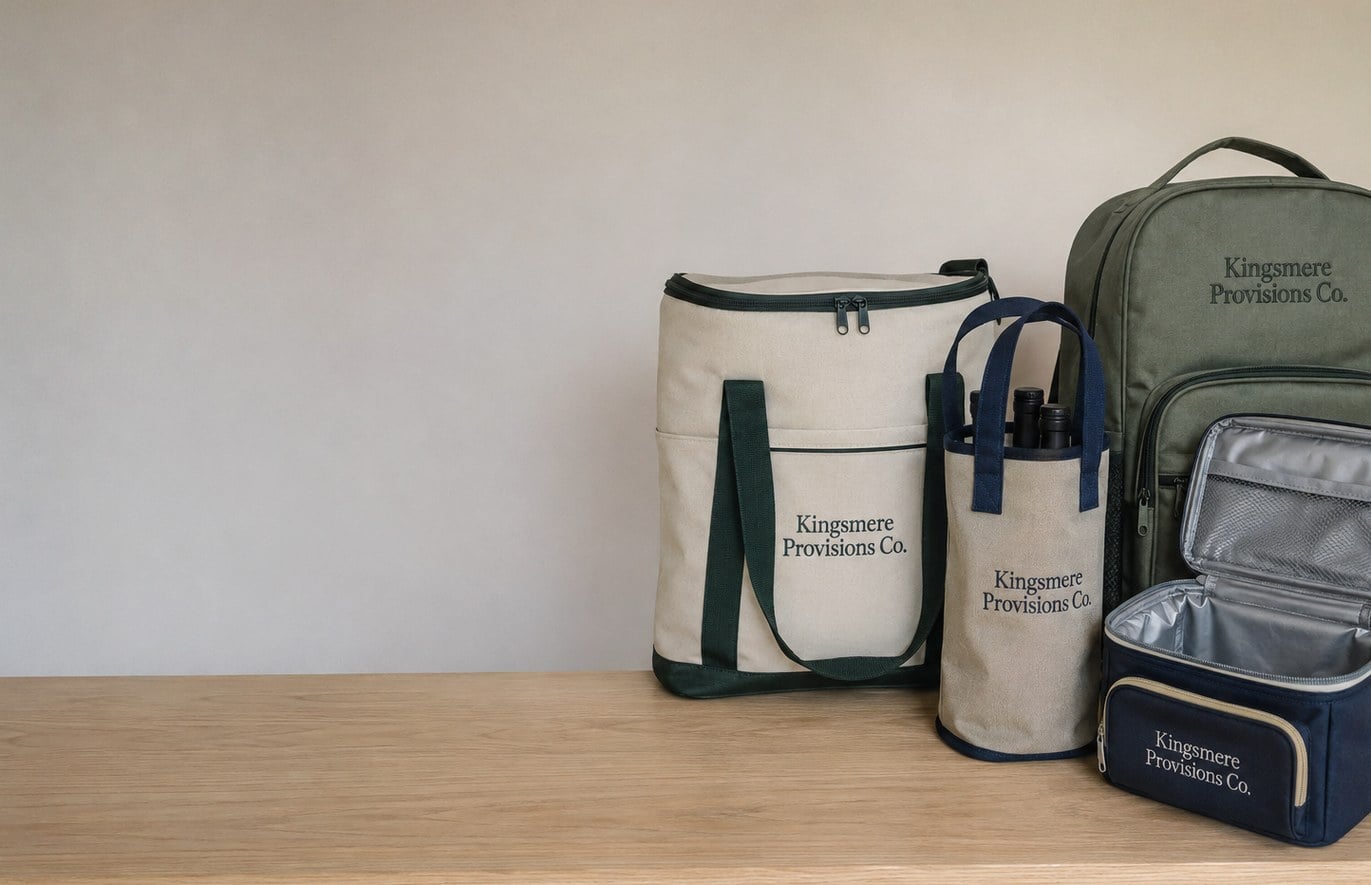
- Totes offer the largest print area; backpack pockets and lunch lids need compact logos
- Free mockup within 24 hours with unlimited free revisions
- Pay nothing until you approve the design
- Minimum order of 12 bags, about 2 weeks standard turnaround
What logo file should you send for custom cooler bags?
The best file to send for custom cooler bags is a vector logo: an AI, EPS, SVG or a PDF exported from design software with the artwork still editable. Vector files scale cleanly to a front panel, a lid or a narrow side gusset without blurring, and they let the print team separate each color for screen printing on fabric.
If you only have a PNG or JPG, send it anyway. Custom Cooler Bags reviews every upload before the mockup and tells you plainly whether the file will print crisply on the bag you picked. A large, sharp raster image often works for full-color heat transfer, while a small logo pulled from an email signature usually needs to be rebuilt before it goes on a cooler.
- Best: vector AI, EPS, SVG or editable PDF with text converted to outlines.
- Workable: a large, high-resolution PNG with a transparent background.
- Risky: screenshots, website favicons, logos copied from social media profiles or images pasted into a Word document.
Ask whoever designed your brand for the original files before you request a quote. That one email saves a round of back-and-forth and keeps your free mockup arriving within 24 hours.
Where can a logo go on each style of cooler bag?
The print area on a cooler bag depends on the style, because every style has a different flat panel. Totes give you the largest, flattest canvas on the front and back. Backpack coolers have a front pocket panel that is smaller than it looks once zippers and straps are accounted for. Lunch coolers usually print best on the front face or the lid.
| Cooler bag style | Primary imprint spot | Secondary options | Artwork tip |
|---|---|---|---|
| Insulated cooler tote bags | Front panel | Back panel, side gusset | Wide or stacked logos both fit well |
| Cooler backpacks | Front pocket | Top flap, shoulder strap | Keep the mark compact and avoid seams |
| Lunch and personal coolers | Front face | Lid | Simple icon or wordmark reads best |
| Wine and bottle coolers | Front of the sleeve | Flap or handle tab | Tall, narrow layouts suit the shape |
| Non-woven coolers | Front panel | Back panel | Bold, solid shapes print cleanest on the textured fabric |
Seams, zippers, mesh pockets and piping all interrupt a print. If your logo is wide and short, a tote or the back of a non-woven cooler is the natural home. If your logo is a square badge, a backpack pocket or lunch cooler lid shows it off without cropping. The mockup from Custom Cooler Bags places your artwork on the actual bag so you can judge the size before anything is printed.
How do you get brand colors right on a cooler bag?
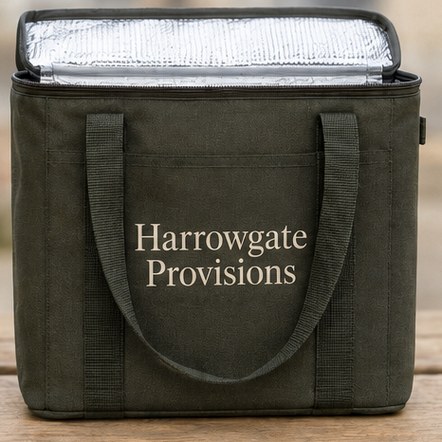
Brand colors on cooler bags come out closest to your guide when you give the print team a named color reference and pick a bag color that contrasts with it. Fabric is not paper: polyester, non-woven polypropylene and coated nylon each absorb ink differently, so a color that looks perfect on screen can shift slightly on the bag.
Three habits keep colors on target:
- Share your color references. Send the Pantone names or brand guide page along with the logo so the inks are matched to a standard rather than to a monitor.
- Check contrast against the bag. A navy logo on a black cooler disappears at a few steps away. White or a light accent ink usually reads best on dark bags, and dark ink reads best on light bags.
- Ask for a one-color version. Many brands have a single-color or knockout logo. On a busy fabric texture, that version often looks sharper than the full-color mark.
If your logo uses gradients, photos or many colors, full-color heat transfer handles it, while screen printing is strongest with solid spot colors. Your mockup shows the ink colors on the bag color you chose, and revisions are free and unlimited until the combination looks right.
What artwork mistakes cause problems on custom cooler bags?
The most common artwork mistakes on custom cooler bags are tiny text, thin lines and logos that were designed only for a white web page. Each of these looks fine on a laptop and then softens or fills in once ink meets textured fabric.
- Taglines that are too small. A slogan tucked under the logo can become unreadable on a backpack pocket. Drop the tagline or move it to its own line on a larger panel.
- Hairline strokes and outlines. Thin rules and delicate script fonts can break up on non-woven fabric. Thicken them or choose a bolder logo variant.
- White boxes around the logo. A JPG with a white background prints as a white rectangle on a colored bag. Send a transparent file or a vector.
- Old or low-quality versions. Outdated logos sneak into orders when files are pulled from an old folder. Confirm with marketing which version is current.
- Too many elements. A web address, phone number, social handles and a logo all on one lunch cooler is crowded. Pick the one thing you most want people to remember.
Custom Cooler Bags flags these issues when the mockup is prepared, so you can fix the file before production rather than after the cartons arrive.
How does the cooler bag mockup and proof process work?
The cooler bag proof process starts as soon as you submit a quote request with your logo. Custom Cooler Bags sends a free digital mockup within 24 hours showing your artwork on the bag style and color you chose, with the imprint position and approximate size marked.
- Submit your request. Share the style, bag color, quantity, imprint location and your logo file on the quote form.
- Review the mockup. Check spelling, colors, placement and how the logo reads at arm’s length, not just zoomed in.
- Request changes. Move the logo, swap the ink color, try another bag color or test a second location. Revisions are free and unlimited.
- Approve the final proof. You pay nothing until you approve the design, and production starts only after that approval.
- Production and delivery. Standard turnaround is about 2 weeks from approval, with faster turnaround available through express shipping.
Treat the proof as the final word. Whatever is on the approved mockup is what gets printed, so have a second person read every letter, check the web address and confirm the logo version before you sign off.
Can different names or logos go on the same cooler bag order?
Yes, one cooler bag order can carry more than one design when the artwork is planned up front. Common examples are a company logo on every bag plus a department name on some, co-branded bags with a partner logo, or individual names on bags given as gifts.
Plan these variations in your file setup. Send a clean master logo plus a simple spreadsheet of names or versions with the quantity of each. Keep the personalization in one consistent font and position so the run looks unified. Custom Cooler Bags includes the variations on the mockup so you can see the base design and a sample personalized bag side by side before approving.
If a sponsor or partner logo is involved, collect their approved file early. Partner artwork is the piece most likely to arrive late or in the wrong format, and it is the easiest way to stall an otherwise ready order. The brewery and team buyers who order cooler bags most often learn this on their first co-branded run.
What should you include with your artwork when requesting a quote?
A complete artwork package for a cooler bag quote includes the logo file, the bag style, the bag color, the imprint location, your color references, the quantity and the date you need the bags in hand. With all of that in one request, the first mockup is usually close to final.
- Vector or high-resolution logo, plus any one-color version.
- Style: tote, backpack, lunch cooler, wine and bottle cooler, non-woven or leakproof hard-liner.
- Bag color and preferred ink colors.
- Imprint location, and whether you want a second location.
- Quantity, starting from a minimum of 12 bags.
- Any names, partner logos or variations, listed clearly.
- Your in-hand date, so the timeline can be confirmed before you approve.
Not sure about a detail? Leave it open and say so. Custom Cooler Bags can suggest a placement or ink color on the first mockup, and you can compare options before committing to anything.
Frequently asked questions
Can I send a PDF logo for my custom cooler bags?
A PDF logo works well for custom cooler bags when it was exported from design software with the artwork still in vector form. Custom Cooler Bags checks every PDF before the mockup. If the PDF only contains a flattened photo of the logo, the team will tell you whether it prints cleanly or needs a better source file first.
Should my cooler bag logo have a transparent background?
Cooler bag logos should have a transparent background whenever the file is a PNG or similar image. A white background prints as a visible white box on any colored bag. Vector files avoid the problem entirely, so send an AI, EPS or SVG when you have one, and use a transparent PNG as the backup.
What happens if my logo is too detailed for a cooler bag?
A cooler bag with a highly detailed logo may lose fine lines, tiny text or subtle gradients once ink meets fabric. Custom Cooler Bags will point out risky details on the free mockup and suggest a simpler version, a larger print area or full-color heat transfer so the logo stays readable.
Can I print on both sides of a cooler bag?
Many cooler bags can be printed on both the front and back panels, especially totes and non-woven styles with large flat sides. Backpack coolers and lunch coolers have fewer flat areas, so a second spot might be a lid or flap. Ask for a second location on your quote and it will appear on the mockup.
How do I choose an ink color for a dark cooler bag?
A dark cooler bag usually looks best with white, a light gray or a bright accent ink that contrasts strongly with the fabric. Dark ink on a dark bag fades from view at a short distance. Custom Cooler Bags can show several ink options on the mockup so you can compare them side by side.
Can I approve a cooler bag mockup without seeing a physical sample?
Most buyers approve their cooler bag order from the digital mockup, which shows the logo on the chosen style and color with placement marked. Read every word and check the logo version carefully before approving. Custom Cooler Bags offers unlimited free revisions, so keep requesting changes until the mockup matches what you want.
Who is responsible for spelling errors on printed cooler bags?
Spelling on printed cooler bags is confirmed by you when you approve the final proof, so the approved mockup is what gets printed. Have a second person read slogans, web addresses and names carefully. Custom Cooler Bags will gladly fix any typo during revisions, which are free, before production starts.
Can my cooler bag order include a partner or sponsor logo?
A cooler bag order can include a partner or sponsor logo alongside your own, either on the same panel or in a second location. Collect the partner's approved logo file early, since it often arrives last. Custom Cooler Bags places both marks on the mockup so each party can sign off.
What font size is too small for a cooler bag imprint?
Cooler bag text becomes too small when you cannot read it comfortably on the mockup at arm's length. Taglines, web addresses and fine print are the usual culprits. Rather than guessing, ask Custom Cooler Bags to flag any lettering that may fill in, then enlarge it, simplify it or remove it.
Does changing the bag color mean new artwork for my cooler bags?
Changing the bag color for your cooler bags rarely needs new artwork, but the ink colors may need to change to keep contrast. A logo built for a white bag can vanish on navy or black. Request the new color on your mockup and the team will suggest a matching ink choice.
Can I reuse my approved cooler bag artwork for a reorder?
Approved cooler bag artwork can be reused for a reorder, which makes repeat orders faster and keeps the look consistent across batches. Mention your previous order when you request a quote. Custom Cooler Bags still sends a fresh mockup within 24 hours so you can confirm style, color and placement again.
Get a free mockup for your cooler bags
Send your logo or idea and the quantity you have in mind. Custom Cooler Bags returns a free mockup within 24 hours, you approve the design before anything is produced, and standard turnaround is about two weeks with faster options available. Get a custom quote.